Canon Powershot G3
Introduction
| Announced | September 2002 |
|---|---|
| Camera type | Advanced compact digicam with tunnel type viewfinder |
| Camera size | 121 x 74 x 70 mm 490 grams (inc. battery) |
| Sensor type | CCD |
| Sensor size | 1/1.8" (7.1 x 5.4 mm) |
| Resolution | 2272 x 1704 (i.e. 4mp) |
| Memory card | Compact Flash |
| Battery | BP-511 |
| Lens | 7.2 - 28.8mm f/2.0-3.0 (full-frame equiv. 35-140 mm, 4x zoom ratio) |
If you just want to see some photographs, skip straight to the results section.
Canon began their now legendary Powershot G series of cameras with the 3 megapixel G1 in September 2000. They updated that camera with the similarly styled 4 megapixel G2 in August 2001, and then next came the camera you see here, the G3 in September 2002. Yes… this was the era where most popular digital cameras got updated every single year!
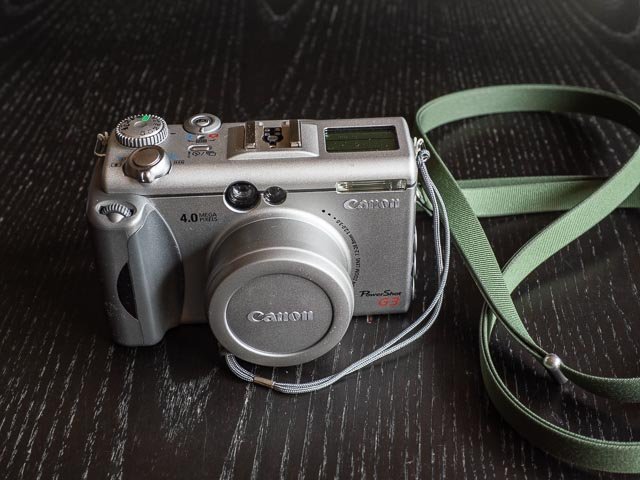
The G3 had the same number of megapixels as the G2 (i.e. 4), but this time Canon gave their G model a pretty extensive styling update, and I have to say, I think the G3 is a bloody good-looking camera! It somehow manages to combine a sleek, futuristic, minimalism (at least from the front) with the straight lines and classic proportions of a traditional 1970s compact rangefinder like the Olympus 35 SP. The G3 has all the features that Canon almost always include on the high-end enthusiast G series cameras: a RAW mode, extensive DSLR-style manual controls, an optical tunnel-type viewfinder combined with a fully-articulated rear LCD monitor, both a built-in flash and a full hot-shoe compatible with Canon Speedlites, and a fairly powerful zoom lens (in the case of the G3 a 4x 35-140mm equiv. f/2.0-3.0 lens).
Buying a Canon Powershot G3 in 2026
The final few models in the Canon Powershot G series (i.e. the G10, G12, G15 and G16) often sell of gobsmackingly high prices (3, 4 even 5 hundred pounds!), but fortunately that doesn't seem to extend to the earlier cameras in the series. I paid £38 for one in beautiful condition, including post and packing and a 5 year warranty and complete with lens cap, battery and charger, from CeX.
A quick search on eBay as I write this article (June 2026) suggests that was a good price, even if it wasn't an out-and-out bargain. But I think with some patience, £35-45 is not an unreasonable budget. Don't forget that on CeX you can set up alerts for out of stock items. Just search for "Canon Powershot G3" and then hit the "Show out of stock" switch. My general experience with CeX is that "Grade B" items are usually in pretty nice condition and always come with battery and charger.
Canon Powershot G3 body tour
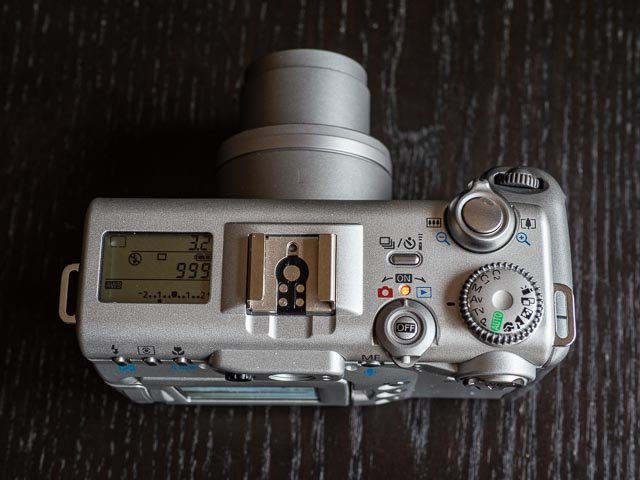 Starting at the left of the G3's top plate, you can see the a useful LCD status display, followed by a hotshoe that is compatible with the same Canon Speedlites you'd use with a Canon SLR or DSLR. They there is a mode dial that lets you switch the camera on and into either record mode and playback mode. As is usual on these early digicams, there are discrete modes for record and payback, so no half pressing the shutter button to instantly switch back to record mode after viewing photos on the rear monitor. At the back of this dial is a tiny button that must be pressed while you're using the dial (to prevent switching the camera on by accident and running down your batteries) and in the center is a button to switch the camera off. Above that is the drive mode bottom, and continuing to the right you'll find the exposure mode dial. At the front of the top plate is the shutter button surrounded by a zoom lever. Finally on the front of the camera there is a grip with a DSLR like command dial for things like setting aperture or shutter speed in modes that allow those setting to be set manually (unfortunately there is no programme shift in programme mode).
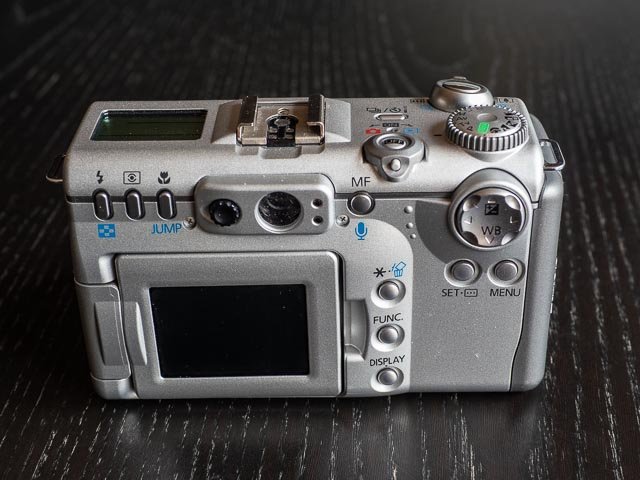
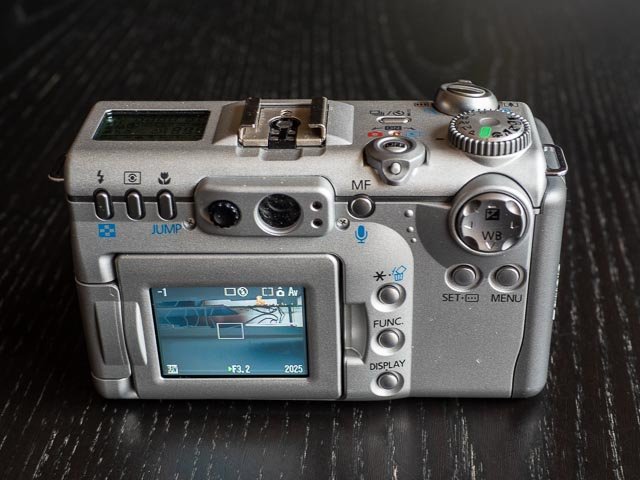 Moving to the back of the camera things start to get rather more laden with buttons! At the top, running from left to right we have buttons for controlling flash mode, metering mode and macro mode. Then we have the simple tunnel-type optical viewfinder with a dial to adjust the dioptre and on the other side lights for successful focus acquisition and a flash required warning. The we have a button for manual focus mode and finally a four-way controller with the up and down positions giving direct access to exposure compensation and white balance. Under the four-way controller are buttons for selecting focus point and entering the menu system.
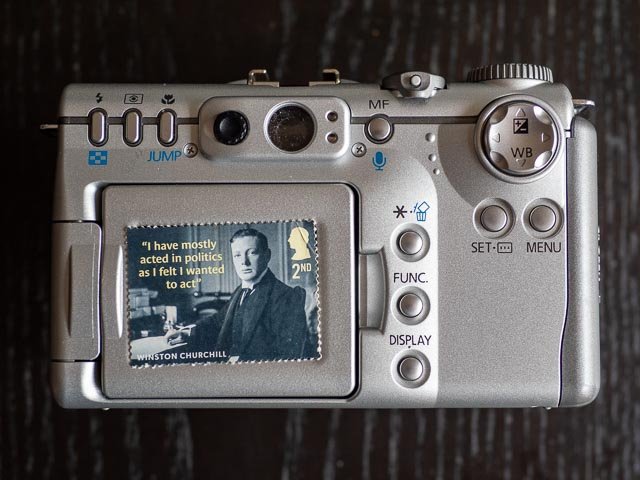 Towards the bottom half of the back of the camera we have a tiny (literally postage stamp sized!) but very useful fully-articulated rear monitor. To the right of the monitor are a columns of buttons for (from top to bottom) AE lock, entering the quick function menu for setting ISO, picture effects (like vivid, neutral, b&w and sepia), bracketing mode, flash exposure compensation and image quality.
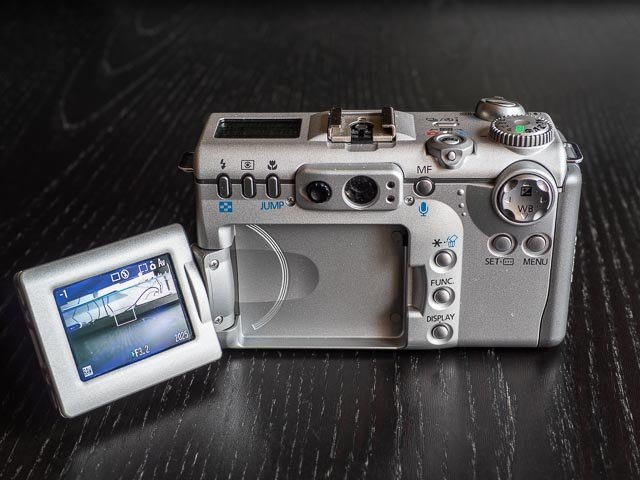
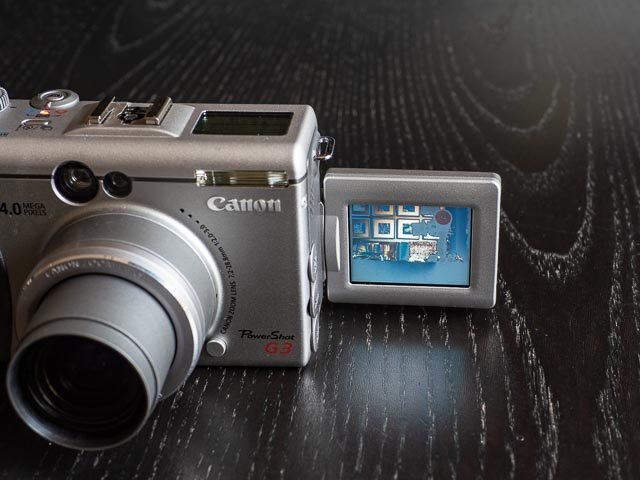
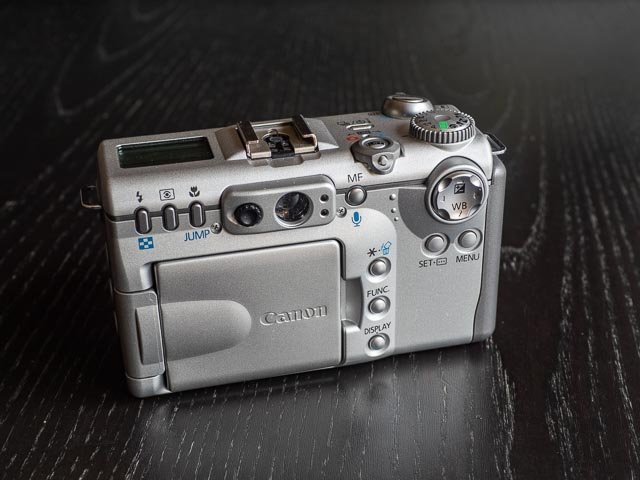 The fully articulated monitor, a feature that was a standard across all Powershot G series cameras, really is a very nice thing to have. Competing cameras like the Nikon Coolpix 9xx series (you can read about the Nikon Coolpix 950 on this website) offer a similar level of framing flexibility (and of couse look satisfyingly cool!) but I think a fully articulated monitor like this on a more conventional camera body is in fact preferable. I like the fact that you can hide the monitor away for protection, plus you can point the monitor towards the front of the camera for selfies (if you really insist!).
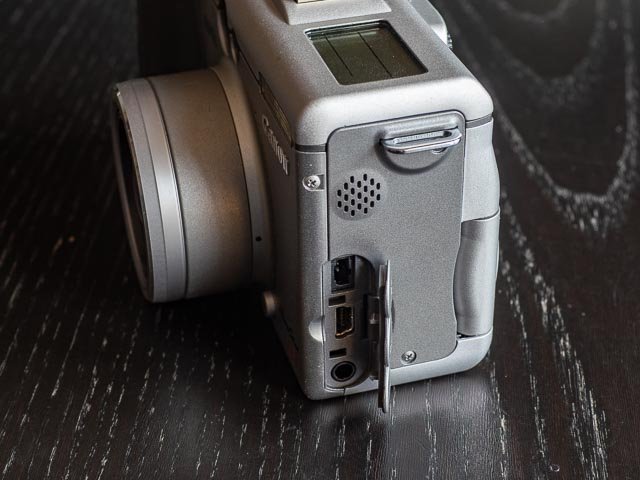
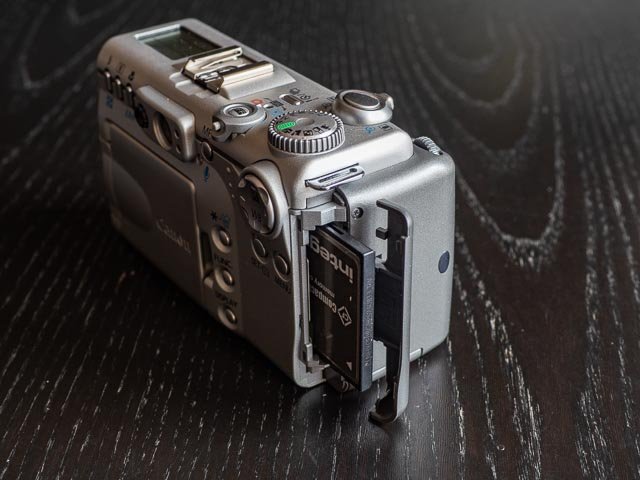 Moving to the left hand side of the camera (as you're using it) there is a door covering the DC in, USB and Video out ports, while on the right hand side you'll find the door for the single CompactFlash memory card (I found that even my largest 8Gb CF card worked fine).
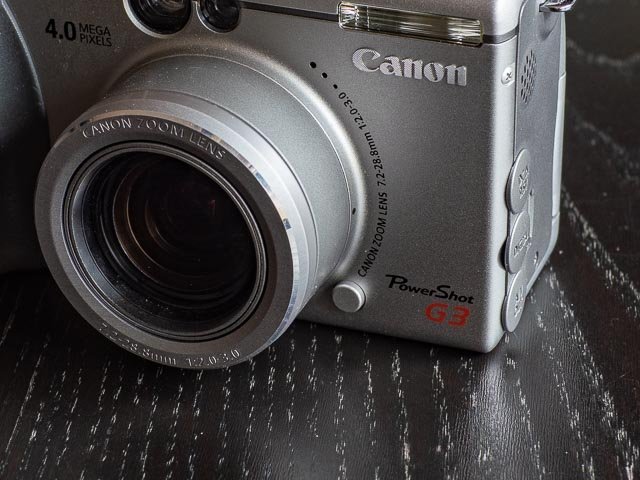
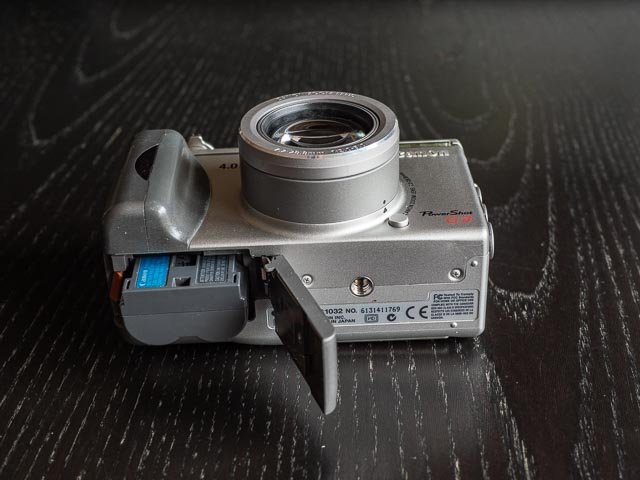 On the bottom of the camera you will find the door for the battery compartment (for the same chunky BP-511 batteries that Canon DSLRs of the same era take) and a tripod bush (not aligned with the lens). And finally, on the lower right side of the lens, pretty much exactly where you'd find the lens release button on a Canon DSLR, you'll find a mysterious unlabelled button. But don't let this button fool you in to thinking Canon actually released an interchangeable lens mirrorless camera onto the market several years before the Panasonic Lumix DMC-G1! This button in fact just lets you remove the plastic ring around the lens so you can replace with an adapter that allows you to use add on wide-angle and telephoto converter lenses (oh, and filters too).
Canon Powershot G3 in use
I found the G3 to be a real pleasure to use. Of course you get all the normal vintage digicam issues to deal with: in particular if you set the G3 to record RAW files you'll often find yourself waiting for files to write to the memory card. But the user interface works really well, though I've used several other Canon digicams so I have to admit the Canon way of doing things is at least partly burning into my brain by now! But in general found the G3 to be very intuitive to use. The only real disappointment is the lack of any kind of shift function to adjust the shutter speed/aperture combination in programme mode. Also, although the built-in neutral density filter is a great thing to have, it was a little disappointing to have to dive deep into the menus to switch it on… it would have been much more useful if there was a button for quick access.
I spent most of my time with the G3 in auto ISO mode, and like most cameras I have use from the early to mid 2000s it really does try very hard indeed to stick to the lowest possible ISO setting of 50. Given that the image quality drops off very rapidly as you go up the ISO range I think Canon chose the right strategy for the G3, but it does mean that I found shutter speeds really can drop very low without the camera making any effort to raise the ISO. In the photos below you'll see that the shutter speed dropped as low as 1/13 of a second while the ISO never shifted from 50. Fortunately even at such a low shutter speed I was able to get a reasonably sharp shots (as long as the subject didn't move!).
There is no doubt that the rear monitor is tiny and prone to washing out, but it's on these occasions that you'll be very grateful for even such a basic tunnel-type optical viewfinder. Of course the optical viewfinder is no use at all when you've playing with the very impressive macro capabilities of the G3, but stick to the rear monitor for accurate framing and you can have a huge amount of fun with this camera for close-up shots. And when you get so close to the subject, even a small sensor digicam produce quite satisfying bokeh effects.
So over-all a very nice camera to use. Well done Canon!
Canon Powershot G3 results
You'll get all the usual digicam failings with the G3, so look out for limited dynamic range and plenty of blown highlights, particularly when you include the sky in your shot. But slow down, take your time, and shoot in RAW and you can recover a surprising amount of highlight details in your G3 images. Add in beautiful colours and you'll find yourself able to make very satisfying images, not to mention prints, from your G3!
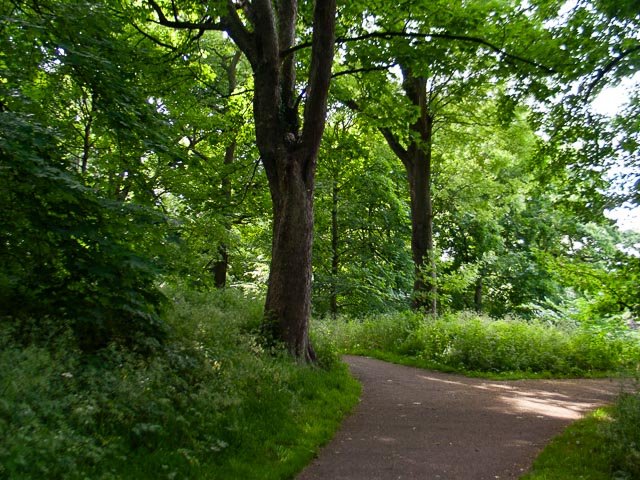
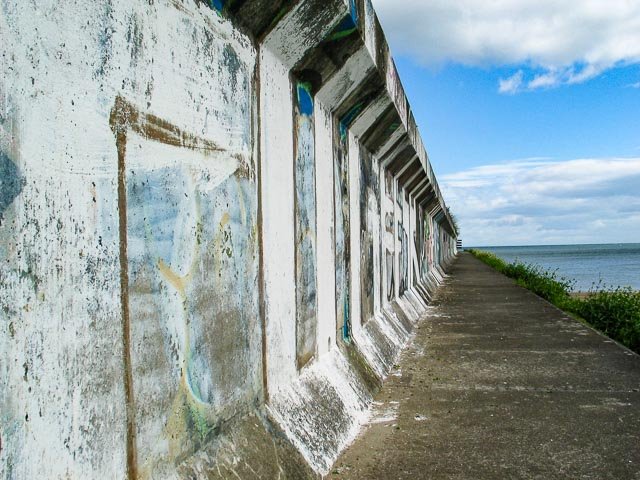
f/2.0 - 1/100 - 50 ISO - 7.2mm (full-frame equiv. 35mm)
Here you can see many of the typical problems with digicams of this era, particularly in the top right hand corner where the sky has blown out completely, there is plenty of smeary blurriness and also plenty of chromatic aberrations.
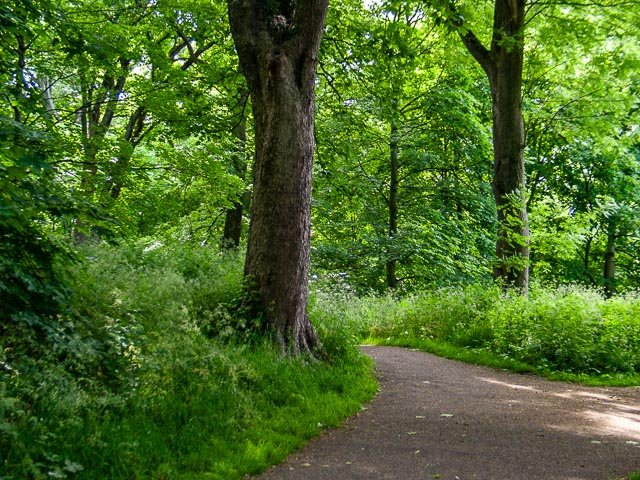
f/2.2 - 1/60 - 50 ISO - 10.2mm (full-frame equiv. 50mm)
But many of these problems can be significantly improved just by zooming in a little and adjusting the composition to eliminate much of the sky. You just have to bear this kind of thing in mind as you wonder around snapping with an early digicam like this.
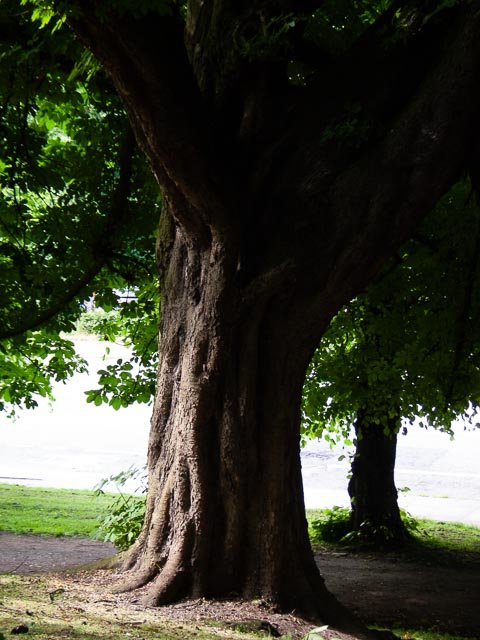
f/3.2 - 1/30 - 50 ISO - 17.6mm (full-frame equiv. 86mm)
This would be a bit of a torture test for more-or-less any camera, vintage or modern, and the dynamic range here is too much really for a vintage digicam.
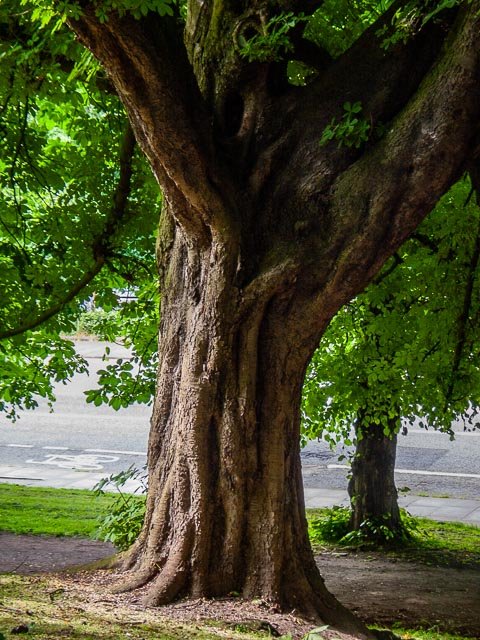
f/3.2 - 1/30 - 50 ISO - 17.6mm (full-frame equiv. 86mm)
But by using the G3's ability to shoot RAW, and then by using the shadow and highlight sliders in Adobe Lightroom, a surprising amount of detail has been recovered.
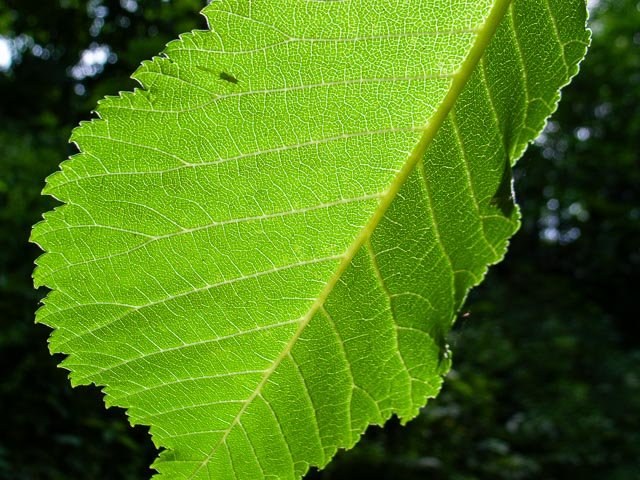
f/4.0 - 1/160 - 50 ISO - 7.2mm (full-frame equiv. 35mm)

f/3.0 - 1/160 - 50 ISO - 28.8mm (full-frame equiv. 140mm)

f/3.5 - 1/50 - 50 ISO - 7.2mm (full-frame equiv. 35mm)

f/2.0 - 1/400 - 50 ISO - 7.2mm (full-frame equiv. 35mm)
Macro mode can give some quite nice results, and as always, where you're shooting really close this old digicams can give some very nice shallow depth-of-field effects (this one was shot at f2.0).

f/3.0 - 1/250 - 50 ISO - 28.8mm (full-frame equiv. 140mm)

f/3.2 - 1/13 - 50 ISO - 7.2mm (full-frame equiv. 35mm)
Another torture test one with the sky unfortunately blown out.

f/3.0 - 1/320 - 50 ISO - 28.8mm (full-frame equiv. 140mm)

f/3.0 - 1/200 - 50 ISO - 28.8mm (full-frame equiv. 140mm)
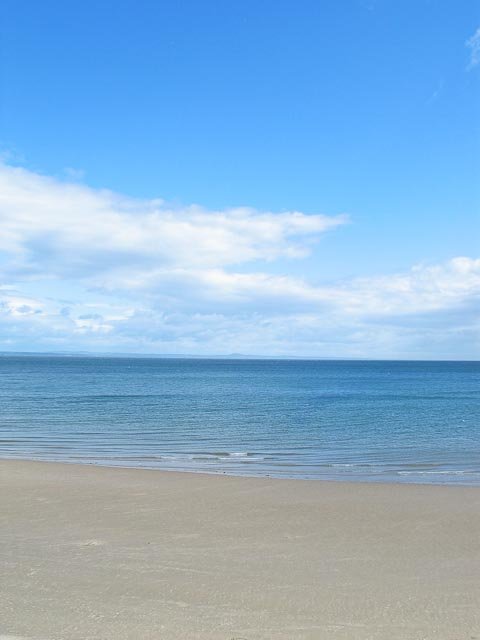
f/3.2 - 1/1250 - 50 ISO - 7.2mm (full-frame equiv. 35mm)

f/5.6 - 1/1250 - 50 ISO - 28.8mm (full-frame equiv. 140mm)

f/3.0 - 1/200 - 50 ISO - 28.8mm (full-frame equiv. 140mm)

f/4.0 - 1/200 - 50 ISO - 20.7mm (full-frame equiv. 101mm)
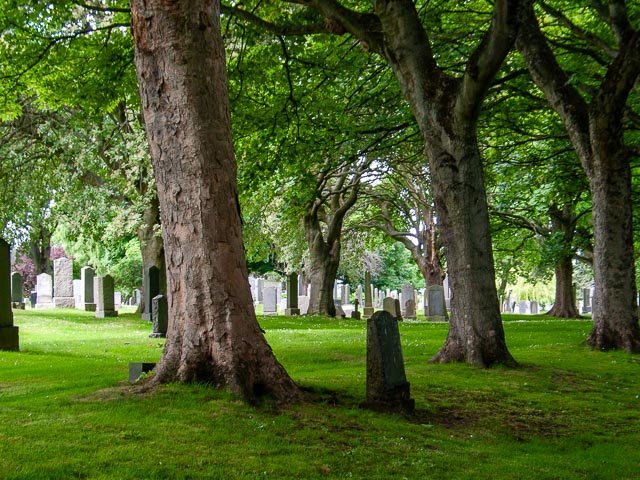
f/4.0 - 1/50 - 50 ISO - 14.4mm (full-frame equiv. 70mm)
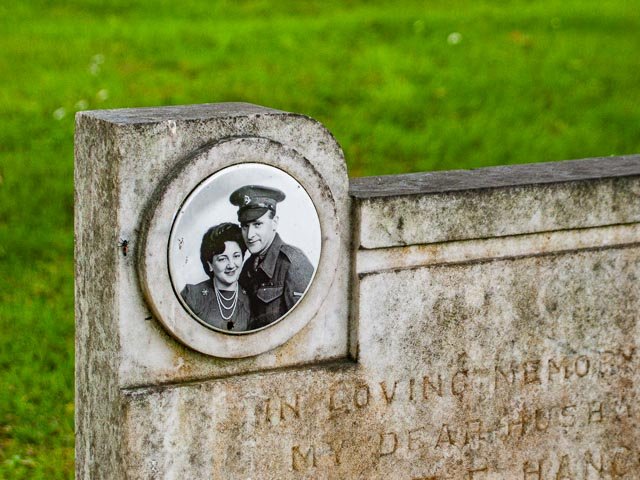
f/3.2 - 1/50 - 50 ISO - 25.1mm (full-frame equiv. 122mm)
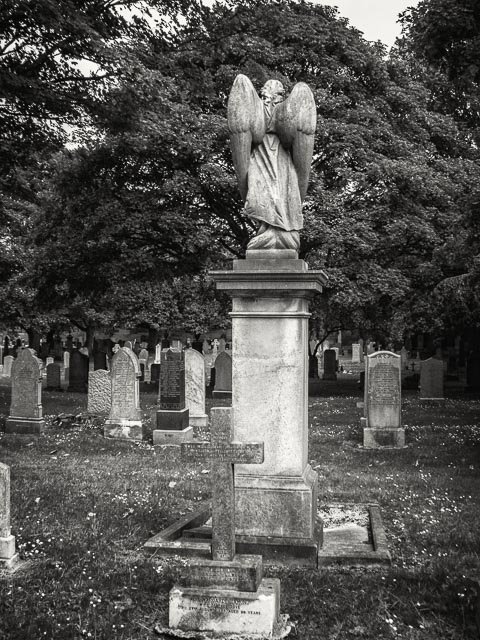
f/4.0 - 1/320 - 50 ISO - 7.2mm (full-frame equiv. 35mm)
I only tried one of these shots in Nik 8 Silver Efex, but I was quite pleased with the result.
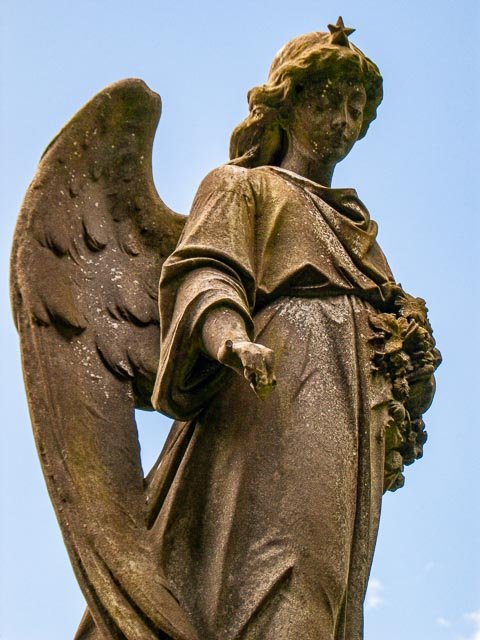
f/4.0 - 1/500 - 50 ISO - 23mm (full-frame equiv. 112mm)
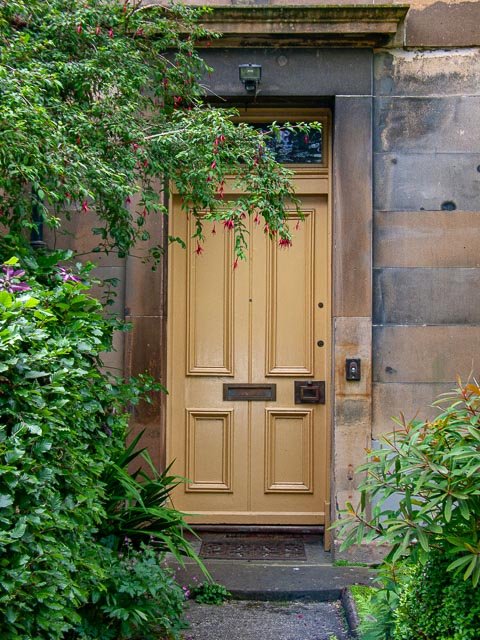
f/4.0 - 1/250 - 50 ISO - 11.2mm (full-frame equiv. 54mm)

f/4.0 - 1/125 - 50 ISO - 20.7mm (full-frame equiv. 101mm)
Canon Powershot G3 conclusion
Overall I found the G3 to be a very nice camera indeed. It looks a million dollars (IMHO), has a very intuitive user-interface, a great lens and some impressive features. If you can find one for a good price (I wouldn't want to pay much more than £40 for one) and you're looking for a stylish way to scratch that vintage digicam itch, then the G3 is a great way to go!
Links
- Canon Powershot G3 in the Canon Camera Museum (including official specification)
- Canon Powershot G3 manuals
- Canon Powershot G3 contemporary review (on dpreview.com)